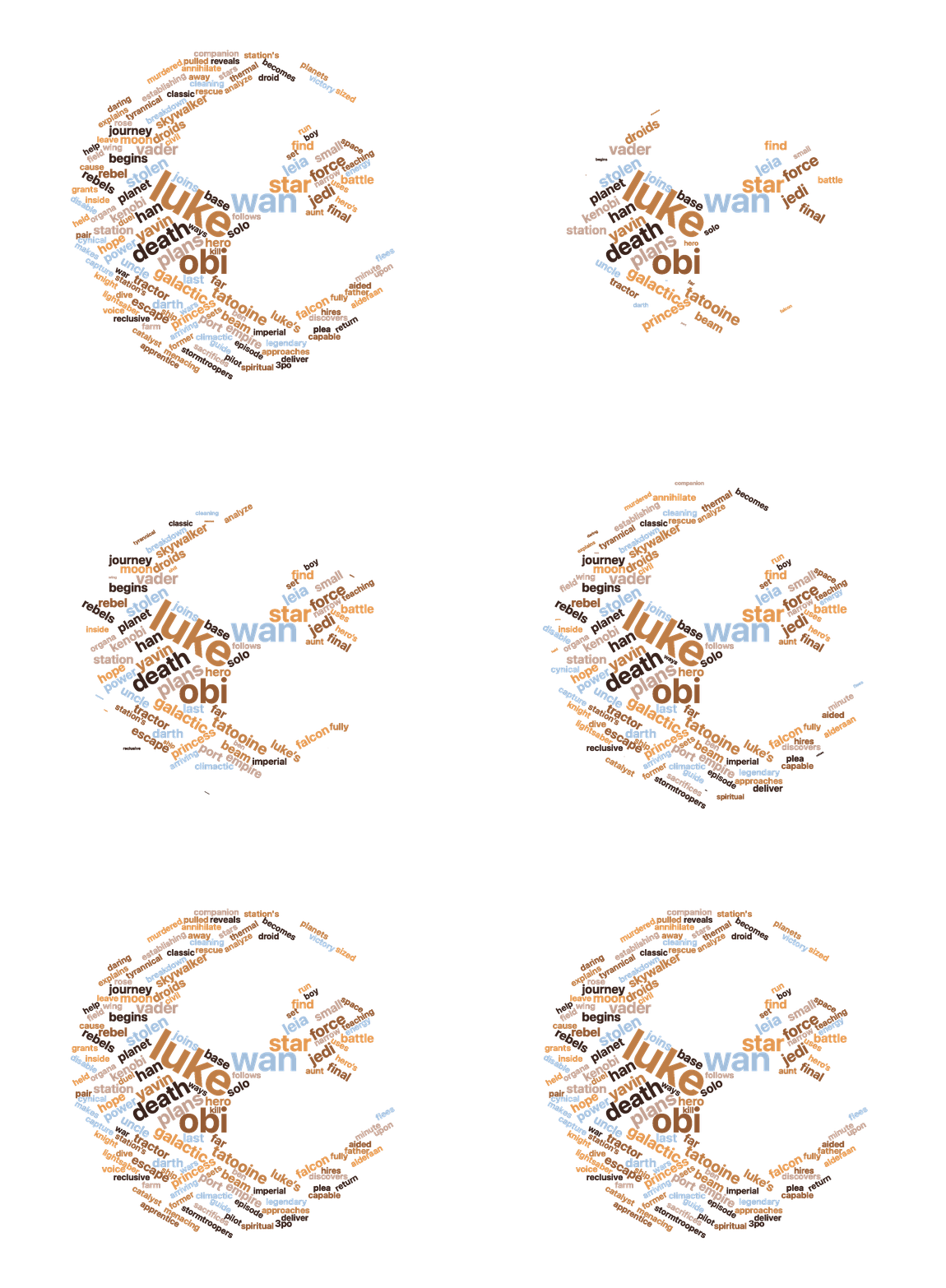
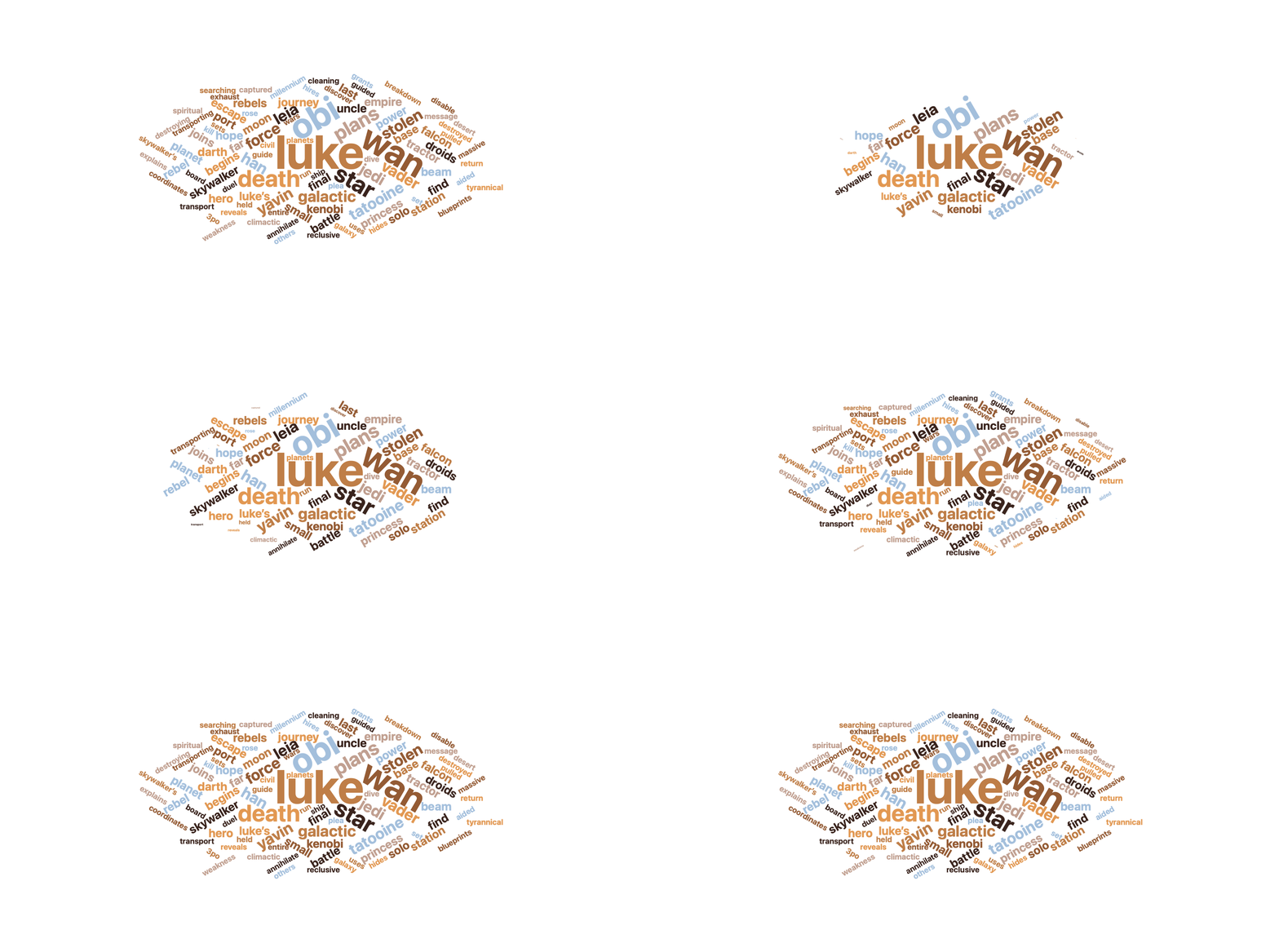
Stylish Word Clouds 2.01

May 3, 2026
Stylish Word Clouds 1.3

Stylish Word Clouds: A Powerful Word Cloud Creator for macOS

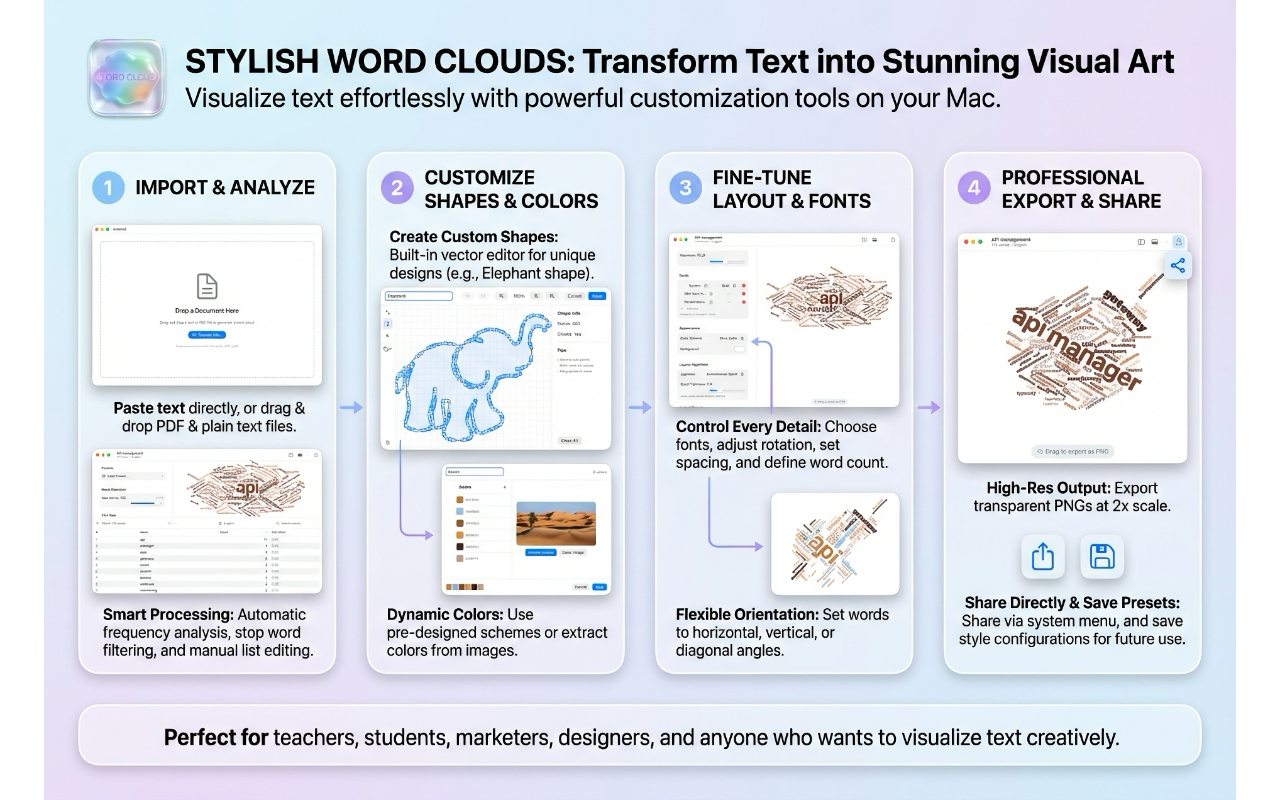
Word clouds are a timeless way to visualize text — turning paragraphs into striking visual summaries where the most frequent words appear largest. Stylish Word Clouds is a free native macOS app that takes this concept and gives you full creative control over every aspect of the result.

From Text to Art in Seconds

Getting started is straightforward: drop a text file or PDF onto the canvas, and the app analyzes your text, counts word frequencies, filters out common stop words, and generates a word cloud. It even detects the language of your text automatically. But the real power is in what comes next.

Deep Customization

Fonts

Stylish Word Clouds ships with 17 hand-picked custom fonts — from the clean geometry of Alan Sans to the playful curves of Love Is Amour and the bold impact of Stone Tomb. You can also choose from popular system fonts like Futura, Helvetica Neue, and Georgia.

What makes the font system unique is font cycling: you can select multiple font styles, and words will rotate through them, creating visual variety without any manual effort.

Colors

Eight built-in color schemes give you a starting point — Wine Cellar for rich burgundy tones, Beach Paradise for ocean blues, 80’s for retro neon, and more. But you can also create your own palettes from scratch or extract colors directly from an image you drop onto the editor.

Custom color schemes are saved to a library, so you can reuse them across projects.

Shapes

Beyond the standard rectangle, oval, circle, and star, the app includes a full vector shape editor. Draw custom shapes with Bezier curves, import outlines from SF Symbols, or browse a library of saved shapes. Words will fill whatever form you create.

You can also add a stroke outline to your shape and control its width and color.

Orientation

Ten orientation presets control how words are rotated: horizontal, vertical, diagonal, radial, or completely random. A custom mode lets you define exact rotation ranges and how many discrete angles to use — from perfectly aligned grids to organic, free-flowing layouts.

Layout

Two placement algorithms — Archimedean Spiral and Rectangular Spiral — determine how words are packed together. A spiral tightness slider gives you fine control over density, from airy and spacious to tightly packed.

Presets

Five built-in presets — Classic, Modern, Minimal, Vibrant, and Elegant — offer professionally designed starting points. Each captures a complete configuration: fonts, colors, shape, orientation, and layout settings. Save your own configurations as presets to reuse later.

The Word Table

A toggleable word table shows every word with its frequency count and relative size factor. You can edit words and counts directly in the table, add custom words, delete words you don’t want, search and filter, and sort by any column. Changes are reflected in the cloud immediately.

Animated Word Clouds

One of the standout features is animated word cloud export. A dedicated preview window shows your word cloud building up in real time with one of three entrance effects:

  • Fade In — words appear gradually with increasing opacity
  • Scale Up — words grow smoothly from nothing to full size
  • Pop — words overshoot slightly and bounce into place

You can adjust the animation duration from 1 to 15 seconds, and the preview loops continuously so you can see exactly what you’ll get. Export as GIF (with optional looping) or MP4 video.

Export Formats

For static exports, you get three options:

  • PNG — high-resolution raster images at 2x scaling
  • SVG — true vector output with text converted to paths, perfect for scaling to any size
  • PDF — vector quality with embedded typography

You can also drag the word cloud directly from the canvas into other apps.

A native macOS experience

Stylish Word Clouds is built with SwiftUI and feels like it belongs on macOS. Full keyboard shortcuts, undo/redo with named actions, a native share button, recent documents, and a proper save/open workflow with a custom .wordcloud document format. Your projects save everything — text, word frequencies, and all configuration — so you can pick up right where you left off.

Available for free from the Apple App Store.

LocalIntelligence 1.5 submitted for review

April 20, 2026

Improved MCP support

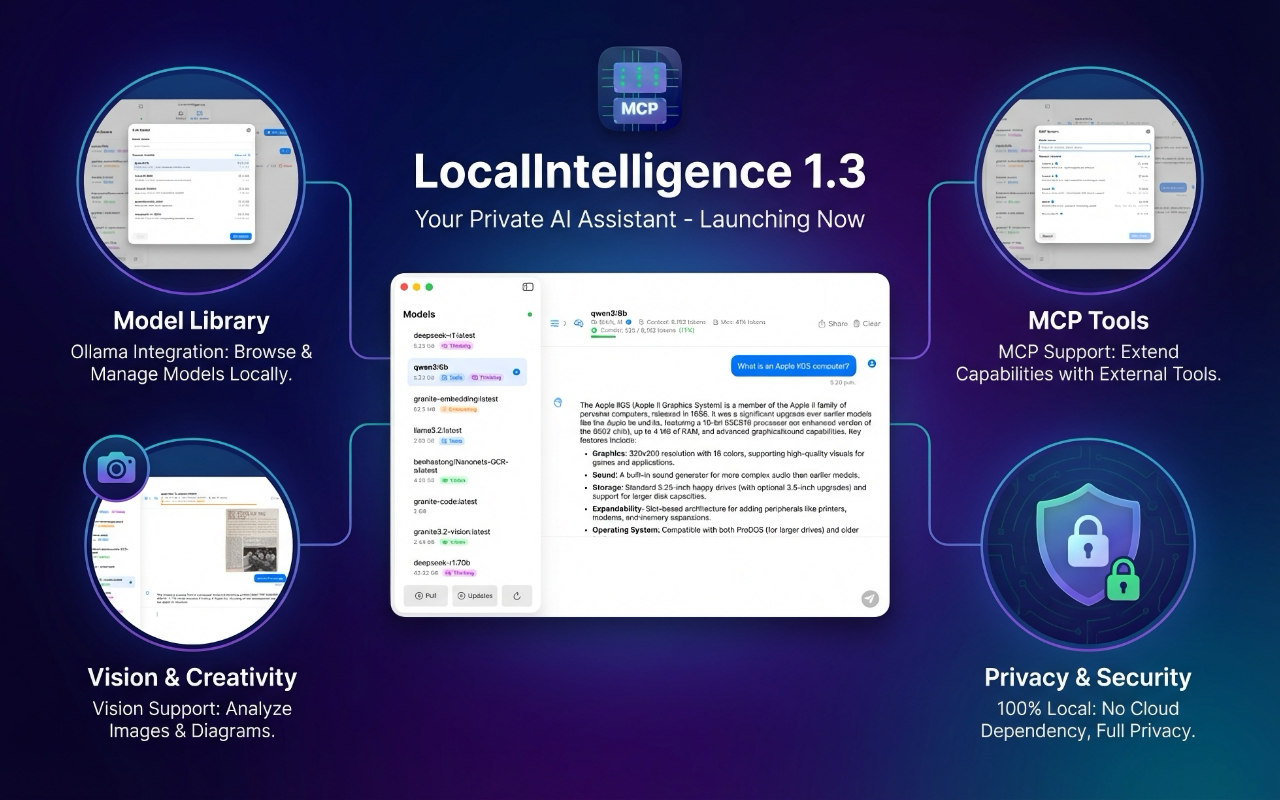
Less than a week after releasing version 1.4, I released a new minor version of my LocalIntelligence app. The main objective of this release was to improve support for MCP. The app has MCP tools support since version 1.0, but it lacked support for Resources and Prompts. I am happy to report that LocalIntelligence 1.5 now fully supports Resources. Supports for Prompts should come in the next release.

Another important MCP related improvement is performance. LocalIntelligence now uses an MCP pooled connection for speedier queries.

Bug fixes

LocalIntelligence has grown to become quite a complex app. Preparing this app for full strict concurrency was a challenge, but I am getting there. In addition to that, many small issues were fixed.

As always, there are two versions of the app, the sandboxed one that is available on the Mac App Store (but does not support connection to STDIO MCP servers) and the notarized version, that has no such restriction. You can download both here.

Stylish Word Clouds 2.0 submitted for review

April 19, 2026
Stylish Word Clouds 1.3

Stylish Word Clouds 2.0 brings a new major feature

I am happy to report that I have just submitted Stylish Word Clouds 2.0 for review. This new versions brings a lot of small improvements and one BIG new feature, Animations.

Animate your word clouds in Keynote (or any other app)

I have been thinking for a while on how to make Keynote presentations more cinematic and I now have a couple of ideas on how to make that happen. One of those ideas was to generate animated GIFs that could be easily used in a Keynote (or Powerpoint) slide. Stylish Word Clouds was the perfect candidate to test how that would work. You can now generate animated word clouds, either as animated GIFs or MP4 movies. The results are stunning!

Animated GIFs can quickly grow very large, but the fact that they natively support transparency makes them great for presentations, specially if you use dynamic backgrounds. I really enjoyed the final result and plan to continue investigating new animation opportunities to make Keynote the absolute greatest presentation tool. There are many things I am dying to share, but I will keep the secret, until I have a product ready to ship.

Bug fixes and improvements

Like all new releases, this one contains performance and bug fixes. However, this time, the number of small improvements is quite large and the result is a much better app overall. You will soon be able to download the new version from the Mac App Store.

Stylish DMG Creator 1.0 just released

April 19, 2026
DMG Builder

Stylish DMG Creator 1.0 is a new tool for macOS developers

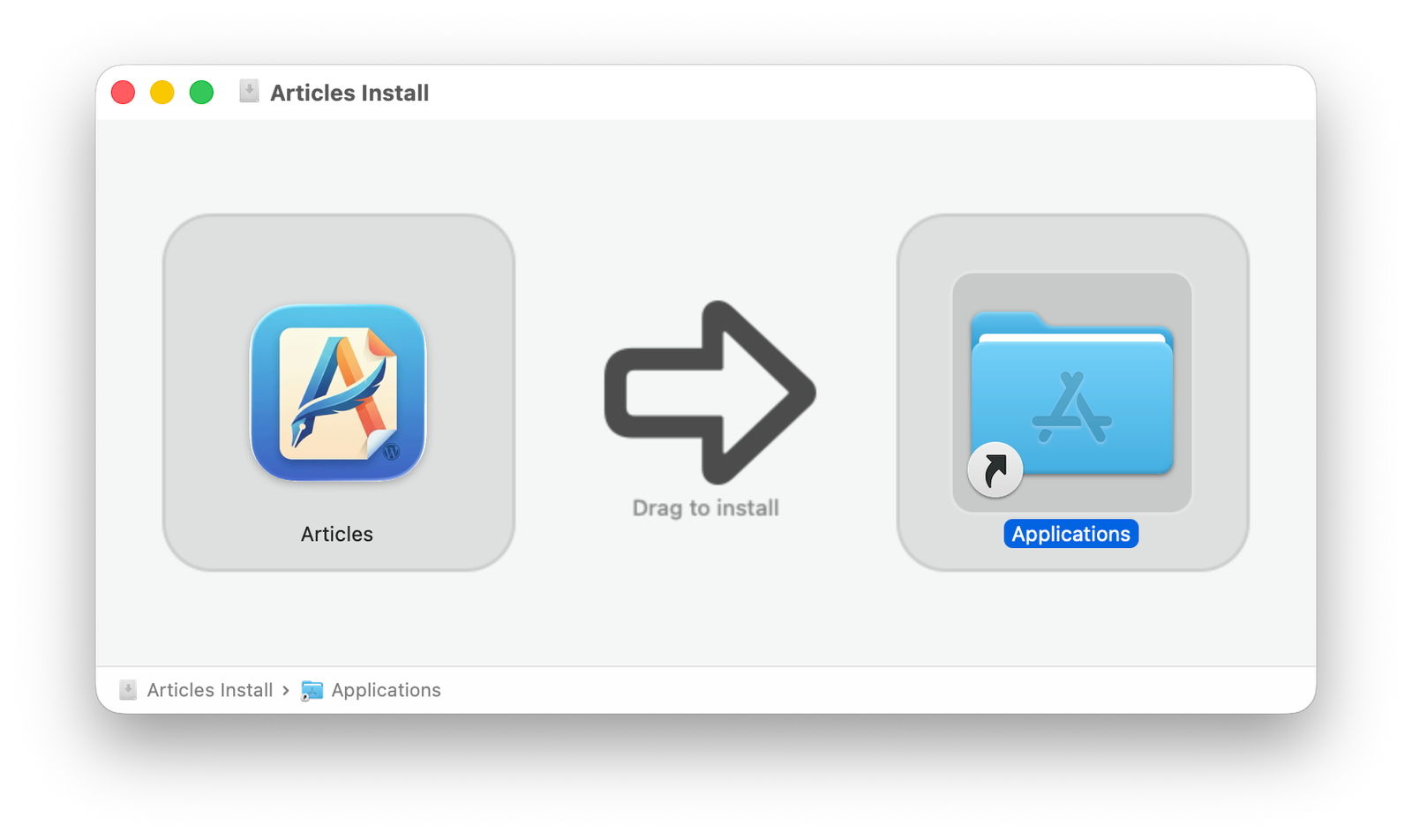
Stylish DMG Creator is an easy to use developer tool for macOS that builds nice looking DMG files from a single app. It streamlines the process of packaging your application for distribution, producing polished disk images with minimal effort.

Although I am quite proud of how this project eventually turned out, this is a program I didn’t want to write, because it took away precious time I really needed to spend on other projects I am working on. Building DMG files is a problem that should have been solved many years ago. However, over the last few months I have tested and paid for two apps that perform this task. One had a GUI dating back to the dark ages. The other one was beautiful but kept failing silently, which made it useless. That is when I realized I had to write my own. Mac developers deserve a free, solid, customizable and easy to use DMG image builder, because creating them from the CLI is way too cumbersome.

I hope you enjoy this app! Download it from here

LocalIntelligence and Image Filters for Shortcuts, both updated

April 13, 2026

Busy week-end

For different reasons, I had to update two of my apps, LocalIntelligence and Image Filters for Shortcuts, over the week-end.

Image Filters for Shortcuts 1.2

Over the week-end I received a bug report for my Image Filters for Shortcuts app. It turns out that the app did not consider the EXIF orientation data. This mistake caused pictures taken on the iPhone (and other digital cameras) to not be properly handled. Since this was a pretty bad bug, I decided to fix it immediately. On Sunday, I updated both the macOS and iOS versions and uploaded them to App Store Connect. Both were approved before noon today and are available on the App Store. It seems that Apple is no longer facing App Review delays.

I am extremely grateful to the person who submitted the bug report. That is the way apps improve.

By the way, this version comes just on the heels of version 1.1, which added integration with Apple’s Photos app. All the filters can now be applied directly within Photos, which should make the app even more useful.

LocalIntelligence 1.4

Gemma 4 was released a couple of days ago and I decided to test it. It turns out that I had to upgrade Ollama to install the new model. This made me wonder if Ollama had made some significant under-the-hood changes. It turns out that Ollama hadn’t but the official MCP Swift SDK was recently upgraded to version 0.12, so I decided to use the latest version in my app. That broke a few things but I was fortunately able to quickly fix the issues. The new version is now available both on the App Store and on my web site (that version has support for local STDIO MCP servers).

By the way, I must say that Gemma 4 is quite impressive. It is a great model and I am planning to use it for some tasks to reduce my Gemini API token consumption. For example, when I ask it to translate a text into Mexican Spanish, there are now noticeable differences with Spanish from Spain and the results are actually quite good, much better than expected for a local model.

Image Filters for Shortcuts 1.1 (iOS & iPad) submitted for review

April 12, 2026
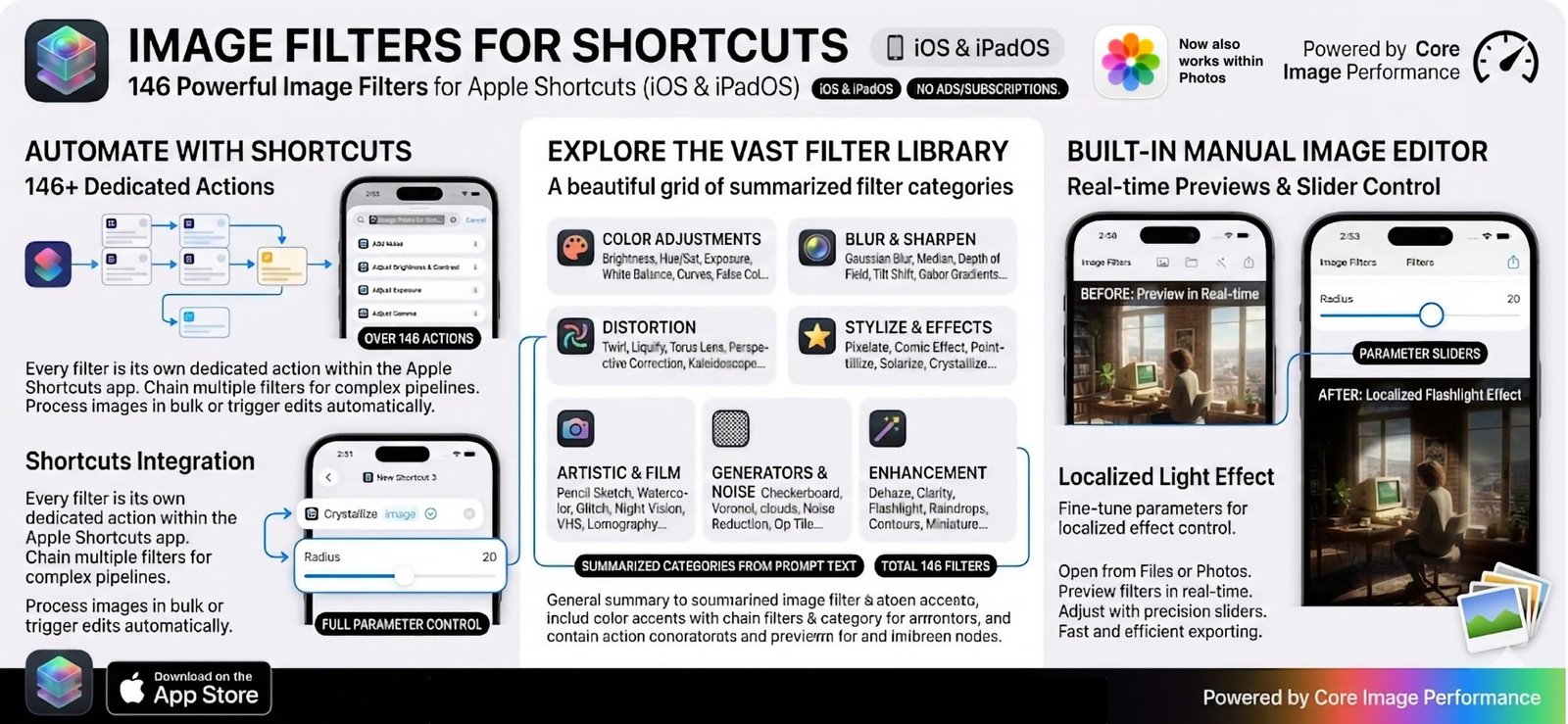
The promo image for Image Filters for Shortcuts 1.1 (iOS)

The new Image Filters for Shortcuts version makes all filters available within Apple’s Photos app. It will probably take a few days to get approved since iOS reviewers seem to have been overwhelmed with submissions lately. This is probably due to all the new vibe-coded apps that are being created. As long as the apps are fully functional and provide new functionality I am all for it. I hope that this influx of new apps will not just reach the iPhone but also other undeserved Apple platforms like visionOS, tvOS and watchOS.

Personally, my main focus remains macOS, as it is my main productivity platform. I expect to soon be able to release a new app for the Mac. I will keep you informed.

Gemma 4: Google’s Most Capable Open-Weight AI Models Yet. Use them locally with Ollama and LocalIntelligence on macOS

April 2, 2026
Use LocalIntelligence with Ollama on macOS to run. the new Gemma 4 family of open-weight AI models

Use Gemma 4 locally on macOS with Ollama and LocalIntelligence

Following the significant leap forward achieved with the proprietary Gemini 3 Pro late last year, Google is bringing its world-class research and technology to the open-source community. Today marks the launch of Gemma 4, Google’s most intelligent family of open-weight models to date.

Purpose-built for advanced reasoning and complex agentic workflows, Gemma 4 is designed to deliver an unprecedented level of intelligence-per-parameter. Building on the massive success of previous generations—which saw over 400 million downloads and spawned a vibrant ecosystem of more than 100,000 variants—Gemma 4 provides developers with frontier-level capabilities without the massive hardware overhead typically required.

A Versatile Lineup: From Smartphones to Workstations

To accommodate a wide array of hardware and use cases, Google is releasing Gemma 4 in four distinct sizes. For the unfamiliar, parameters are the underlying settings an AI model uses to generate output; while higher parameter counts generally yield better results, they also demand more computing power. Google has meticulously engineered the Gemma 4 lineup to maximize efficiency across the board:

  • For the Edge (E2B and E4B): Engineered from the ground up for mobile and IoT devices, the “Effective” 2-billion and 4-billion parameter models prioritize low-latency processing, minimal RAM usage, and battery preservation. Developed in collaboration with mobile hardware leaders like Qualcomm, MediaTek, and Google’s own Pixel team, these models run completely offline with near-zero latency on devices ranging from smartphones to Raspberry Pis.
  • For Workstations and the Cloud (26B MoE and 31B Dense): Designed for frontier intelligence, the unquantized weights of these models fit efficiently on a single 80GB NVIDIA H100 GPU, while quantized versions run natively on consumer gaming GPUs. The 26B Mixture of Experts (MoE) model is hyper-optimized for speed, activating only 3.8 billion of its parameters during inference to deliver exceptionally fast tokens-per-second. Meanwhile, the 31B Dense model is built to maximize raw quality, serving as a powerful foundation for fine-tuning.

Gemma 4’s efficiency is already making waves. On Arena AI’s highly competitive text leaderboard, the 31B and 26B variants recently claimed the #3 and #6 spots globally among open models, outperforming rival systems up to 20 times their size.

Next-Generation Capabilities

The entire Gemma 4 family moves well beyond simple chat interfaces, offering a suite of advanced features designed for real-world application:

  • Multimodal Mastery: All models natively process video and images, excelling at tasks like optical character recognition (OCR) and chart understanding. Furthermore, the E2B and E4B edge models feature native audio input for speech recognition.
  • Agentic Workflows: With native support for function-calling, structured JSON output, and system instructions, developers can build autonomous agents capable of reliably interacting with diverse APIs and tools.
  • Offline Code Generation: Gemma 4 acts as a powerful local-first AI coding assistant, allowing developers to generate high-quality code—or engage in “vibe coding”—entirely without an internet connection.
  • Massive Context Windows: The edge models feature a 128K context window, while the larger models boast up to 256K, allowing users to process massive code repositories or lengthy documents in a single prompt.
  • Global Reach: Natively trained on over 140 languages, the models are built to support inclusive, global applications.

The Big Shift: Apache 2.0 Licensing

In a major move for the open-source community, Google is releasing the Gemma 4 family under the commercially permissive Apache 2.0 license, a significant departure from the custom licenses used for previous Gemma models.

This pivot was driven by community feedback and a desire to remove restrictive barriers. “This open-source license provides a foundation for complete developer flexibility and digital sovereignty; granting you complete control over your data, infrastructure and models,” Google stated. The move has already been praised by industry leaders, with Hugging Face CEO Clément Delangue calling the Apache 2.0 release a “huge milestone.”

An Ecosystem of Choices

Gemma 4 is built on the same rigorous security protocols as Google’s proprietary models, offering enterprises a trusted and transparent foundation. It is also designed to plug seamlessly into the tools developers already use.

The models feature day-one support for platforms like Hugging Face, LiteRT-LM, vLLM, Ollama, and NVIDIA NIM. Developers can download the model weights directly from Hugging Face, Kaggle, or Ollama, and begin experimenting immediately via Google AI Studio or the Google AI Edge Gallery. For those looking to scale, Google Cloud offers deployment through Vertex AI, Cloud Run, and TPU-accelerated serving, while the models remain fully optimized out-of-the-box for leading hardware from NVIDIA, AMD, and Google.

With Gemma 4, Google is not just offering a scaled-down version of its flagship AI; it is providing the open-source community with a highly efficient, remarkably intelligent toolkit ready to power the next generation of AI development.

How to use these AI models locally on macOS?

Ollama is probably the easiest way to install and run local open AI models and it is available for macOS, Windows y Linux.

Although Ollama provides a GUI that reminds us of ChatGPT, many important operations can only be executed from the command line (CLI). For example, downloading a new model or updating an existing one are tasks that can only be done using the terminal.

That is why you should probably download a graphic front-ed for Ollama. The good news is that there are many free options available for all major OSes.

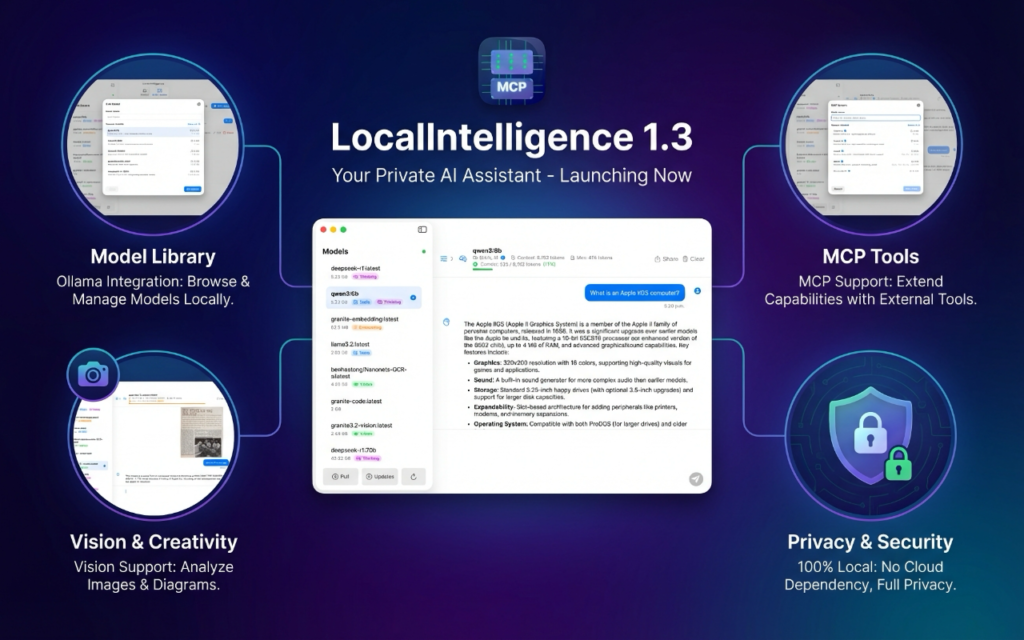
That said, for macOS, which is a great platform to run AI models locally, thanks to the mighty power of Apple’s processors, let me recommend you my own app, Local Intelligence. It is much more than a basic graphic front-end, as it unlocks many advanced operations such as customizing model parameters and also provides complete support for MCP (Model Context Protocol), which is the cornerstone of Agentic AI.

LocalIntelligence is available as a free download from Apple’s App Store. That version provides support for remote MCP servers (using TCP/IP). However, if you also need support for SDTIO local MCP servers, then you will need to download the notarized version of the app from my personal web page, as this requires operations that cannot be executed in a sandboxed environment. Since both versions are free, download the one that best fits your particular needs and enjoy!

Image Filters for Shortcuts 1.1 for macOS now generally available

April 2, 2026
Image Filters for Shortcuts 1.1 for macOS now also works with Apple's Photos
Image Filters for Shortcuts 1.1 for macOS now also works with Apple’s Photos

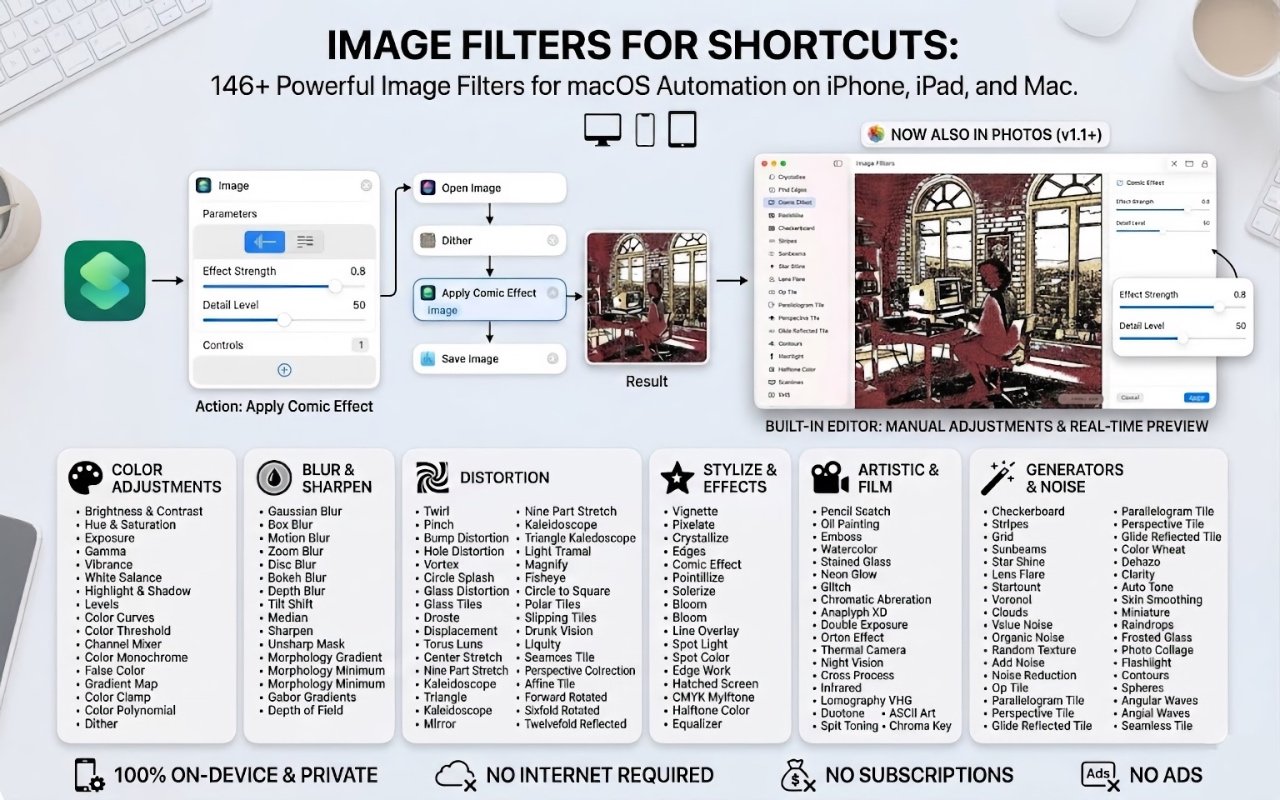
Now the filters can also be used within Apple’s Photos

Last week I released version 1.1 of my newest app, Image Filters for Shortcuts. This new version only adds one new feature, but it is significant. All the filters can now be used within iPhotos. I realized that after doing the hard work of creating a large collection of filters, that making them available to Photos was a relatively minor task, so there it is, available to everyone. Enjoy!

I will soon update the iOS and iPadOS version. Although the Apple App Store has recently been slower to process apps, it should be available some time next week.

Stylish Word Clouds 1.3 available for download

March 18, 2026

Last week I released Stylish Word Clouds 1.3 on the Apple App Store. The app is now localized in Spanish and French, in addition to English. This actually required a lot of work since the app is accessible and there is a lot of text supporting that functionality. That said, I am happy I did it and I hope to localize my other apps in the near future.

Image Filters for Shortcuts now generally available

March 18, 2026
Image Filters for Shortcuts

It took some time, but my fourth App Store app is now generally available on the App Store. I had no issues getting the Mac version approved, but the iPhone and iPad version were refused twice. The first issue was that the reviewer was unable to get the app to install on his iPad Air. That issue was really weird because it ran flawlessly on the simulator as well as on my iPad Pro.

Anyway, after passing that first hurdle, my app was once again turned down, this time because my promo images stated that the app was free. It turns out that developers cannot mention anything related to pricing either in the app’s description or marketing materials. That is something I didn’t know and a good lesson for next time.

Thankfully, Image Filters for Shortcuts is now available on the App Store and now that this process is behind me I can now focus on my next projects.

Loading more posts...

© 2026 Huibert Aalbers. All rights reserved.

Contact Me